Slack
Build an AI Slack bot with CopilotKit — createBot, the Slack adapter over Socket Mode, agent runs with thread.runAgent, and interactive JSX messages rendered as Block Kit.
This guide takes you from zero to a Slack bot you can @-mention in a channel, then adds an interactive button card. You write handlers in TypeScript, the agent's replies stream into the thread, and rich messages are JSX that the adapter renders to Block Kit (Slack's message-UI format). No public URL needed.
Prerequisites#
- Node.js 20+
- A Slack workspace where you can install apps
- An OpenAI API key (or Anthropic/Google — any model the built-in agent supports)
Getting started#
Create the Slack app from a manifest#
The manifest declares everything the bot needs — scopes, events, Socket Mode, a /agent slash command — in one shot.
- Open api.slack.com/apps?new_app=1 and choose From a manifest.
- Pick your workspace.
- Switch the editor to the YAML tab (it defaults to JSON) and paste the contents of
examples/slack/slack-app-manifest.yaml. - Review and create the app.
If validation fails on assistant:write
Delete these two lines if the manifest you pasted has them — Slack rejects assistant:write unless the app also declares an assistant_view feature block: - assistant:write (under oauth_config.scopes.bot) and - assistant_thread_started (under settings.event_subscriptions.bot_events).
Install the app and copy both tokens#
The bot needs two tokens:
- Bot token (
xoxb-…) — under OAuth & Permissions, click Install to Workspace and approve. Copy the Bot User OAuth Token that appears after the install. - App-level token (
xapp-…) — under Basic Information → App-Level Tokens, click Generate Token and Scopes, name it anything, add theconnections:writescope, and generate. Copy the token.
No public URL needed
Socket Mode opens an outbound WebSocket to Slack — no public URL, no ngrok, works from your laptop.
Scaffold the project#
mkdir my-slack-bot && cd my-slack-bot
npm init -y && npm pkg set type=moduleInstall the bot packages, plus @copilotkit/runtime for the in-process agent and tsx to run TypeScript directly:
npm install @copilotkit/bot @copilotkit/bot-ui @copilotkit/bot-slack @copilotkit/runtime
npm install -D tsx typescript @types/nodepnpm add @copilotkit/bot @copilotkit/bot-ui @copilotkit/bot-slack @copilotkit/runtime
pnpm add -D tsx typescript @types/nodeyarn add @copilotkit/bot @copilotkit/bot-ui @copilotkit/bot-slack @copilotkit/runtime
yarn add -D tsx typescript @types/nodeThen create a tsconfig.json that points the JSX factory at @copilotkit/bot-ui — this is what makes <Message> / <Button> statically type-checked bot UI instead of React:
{
"compilerOptions": {
"target": "es2022",
"module": "nodenext",
"moduleResolution": "nodenext",
"strict": true,
"skipLibCheck": true,
"noEmit": true,
"types": ["node"],
"jsx": "react-jsx",
"jsxImportSource": "@copilotkit/bot-ui"
},
"include": ["bot.tsx"]
}ESM only
The bot packages are ESM-only — "type": "module" (set above) is required.
Write the bot#
The smallest working bot is createBot + the Slack adapter + one onMention handler that runs the agent. For the quickstart, the agent — CopilotKit's BuiltInAgent — runs inside the same process, served on a local port the bot connects to, so one command starts everything:
import { createServer } from "node:http";
import { createBot } from "@copilotkit/bot";
import { slack, SanitizingHttpAgent } from "@copilotkit/bot-slack";
import { BuiltInAgent, CopilotSseRuntime } from "@copilotkit/runtime/v2";
import { createCopilotNodeListener } from "@copilotkit/runtime/v2/node";
// The agent — runs in-process for the quickstart.
const runtime = new CopilotSseRuntime({
agents: {
assistant: new BuiltInAgent({
model: "openai/gpt-5.5", // reads OPENAI_API_KEY
prompt: "You are a helpful Slack assistant. Keep replies short.",
}),
},
});
createServer(
createCopilotNodeListener({ runtime, basePath: "/api/copilotkit" }),
).listen(8200);
// The bot: the Slack adapter + one handler.
const bot = createBot({
adapters: [
slack({
botToken: process.env.SLACK_BOT_TOKEN!, // xoxb-…
appToken: process.env.SLACK_APP_TOKEN!, // xapp-…
}),
],
// One agent connection per Slack conversation.
agent: (threadId) => {
const agent = new SanitizingHttpAgent({
url: "http://localhost:8200/api/copilotkit/agent/assistant/run",
});
agent.threadId = threadId;
return agent;
},
});
bot.onMention(async ({ thread }) => {
await thread.runAgent();
});
await bot.start();
console.log("⚡ Bot connected over Socket Mode");thread.runAgent() streams the agent's reply into the Slack thread, editing the message in place as tokens arrive.
Run it#
export SLACK_BOT_TOKEN=xoxb-…
export SLACK_APP_TOKEN=xapp-…
export OPENAI_API_KEY=sk-…
npx tsx bot.tsxYou should see ⚡ Bot connected over Socket Mode in the terminal. Now invite the bot to a channel and mention it — the bot's name comes from the manifest (if autocomplete can't find it, check App Home → Default username):
/invite @YourBot
@YourBot what can you do?Troubleshooting
- Mentioning the bot does nothing —
app_mentiononly fires in channels the bot is a member of:/inviteit first. Also check the process is running and both tokens are set. @-autocomplete doesn't find the bot — search by the bot user's Default username (visible under App Home), not the app's display name. Identity changes only propagate when you reinstall the app; in stubborn cases a full uninstall → reinstall is needed, which rotates thexoxb-token — update your env when it does.bot.start()fails with an auth error — thexoxb-token is wrong or was rotated by a reinstall; copy the current one from OAuth & Permissions.- Slash command does nothing — the command isn't declared in the Slack app config (see the last step), or the process isn't running.
Post interactive UI#
Replies don't have to be text. Messages are authored as JSX from the @copilotkit/bot-ui vocabulary — including buttons with inline onClick handlers. Replace the onMention handler from the previous step:
import { Message, Header, Section, Actions, Button } from "@copilotkit/bot-ui";
bot.onMention(async ({ thread, message }) => {
if (message.text.toLowerCase().includes("deploy")) {
await thread.post(
<Message accent="#27AE60">
<Header>Deploy v1.4.2</Header>
<Section>Ship **v1.4.2** to production?</Section>
<Actions>
<Button
style="primary"
onClick={async ({ thread }) => {
await thread.post("🚀 Shipping!");
}}
>
Ship it
</Button>
<Button
onClick={async ({ thread }) => {
await thread.post("Standing down.");
}}
>
Cancel
</Button>
</Actions>
</Message>,
);
return;
}
await thread.runAgent();
});Mention the bot with "deploy" in the message and click the buttons. Your handler code never leaves your process — Slack only sees an opaque action id.
Buttons expire on restart
The default action store is in-memory: after a process restart, clicks on old buttons are acknowledged but ignored. For buttons that survive restarts, plug a durable store (Redis, a database) into createBot({ actionStore }) — see the ActionStore contract.
Add a slash command#
The manifest already declares /agent — register its handler above bot.start(). Slash-command text never appears in the channel, so pass it to the agent explicitly with prompt:
bot.onCommand("agent", async ({ thread, text }) => {
await thread.runAgent({ prompt: text });
});Declare commands in the Slack app config
Slack silently drops undeclared commands — declare new ones in the manifest's slash_commands (or Slash Commands in the app settings) first.
Split the bot and the agent#
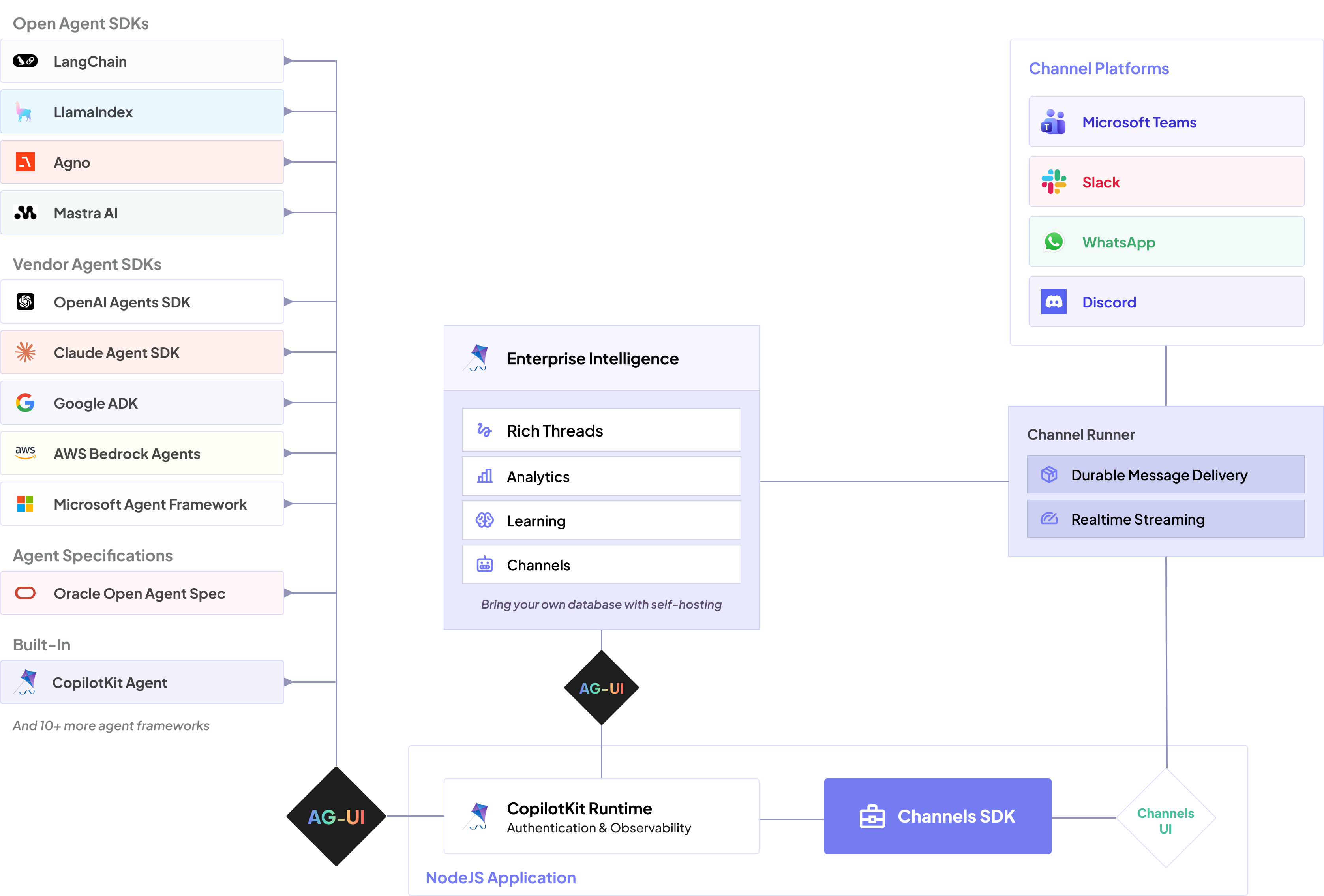
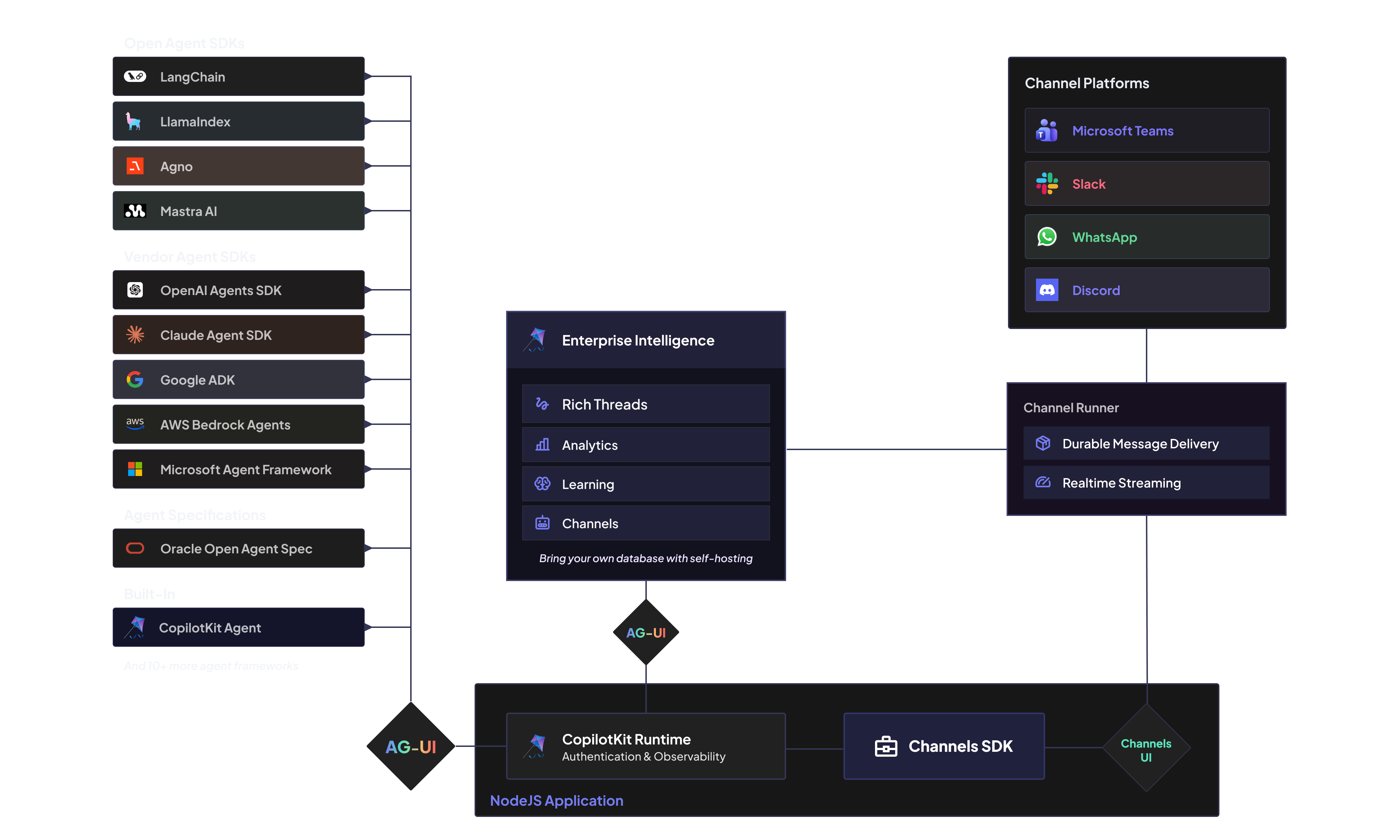
The bot and its agent talk over AG-UI — an open protocol for agent ↔ frontend communication — so they don't have to share a process. The production shape is two services joined by a URL: move the CopilotSseRuntime block into its own process (or use any existing AG-UI endpoint — a deployed CopilotKit runtime, LangGraph, …) and point the bot at it via env, exactly how the full on-call triage example is wired:
agent: (threadId) => {
const agent = new SanitizingHttpAgent({ url: process.env.AGENT_URL! });
agent.threadId = threadId;
return agent;
},SanitizingHttpAgent is an HttpAgent that tolerates the event streams real agent backends emit — use it over the stock HttpAgent when connecting to a remote runtime.
Known limitations (v1)#
- Single workspace — one bot token; no OAuth/multi-workspace install flow
- In-memory action store by default — inline button handlers expire on restart unless you provide a durable
ActionStore - No modals or reactions — the adapter doesn't open modals or add reactions yet
- Replies only — the bot answers turns it's part of (mentions, its threads, DMs); it doesn't post proactively
Next steps#
- API reference: the Bots reference — createBot, the Thread API, tools & commands, the component vocabulary, and the Slack adapter
- Full example: on-call triage bot over Linear + Notion MCP — tools, human-in-the-loop, slash commands, file uploads