Channels
Put the agent you already built into Slack or Microsoft Teams. Intelligence owns the connection; your agent stays where it runs.
Open your coding agent in your project's folder, or in an empty folder for a new app.This runs in a coding agent on your computer.
Overview#
Channels lets the agent you already built answer in Slack or Microsoft Teams. Intelligence owns the connection; your agent stays where it runs.
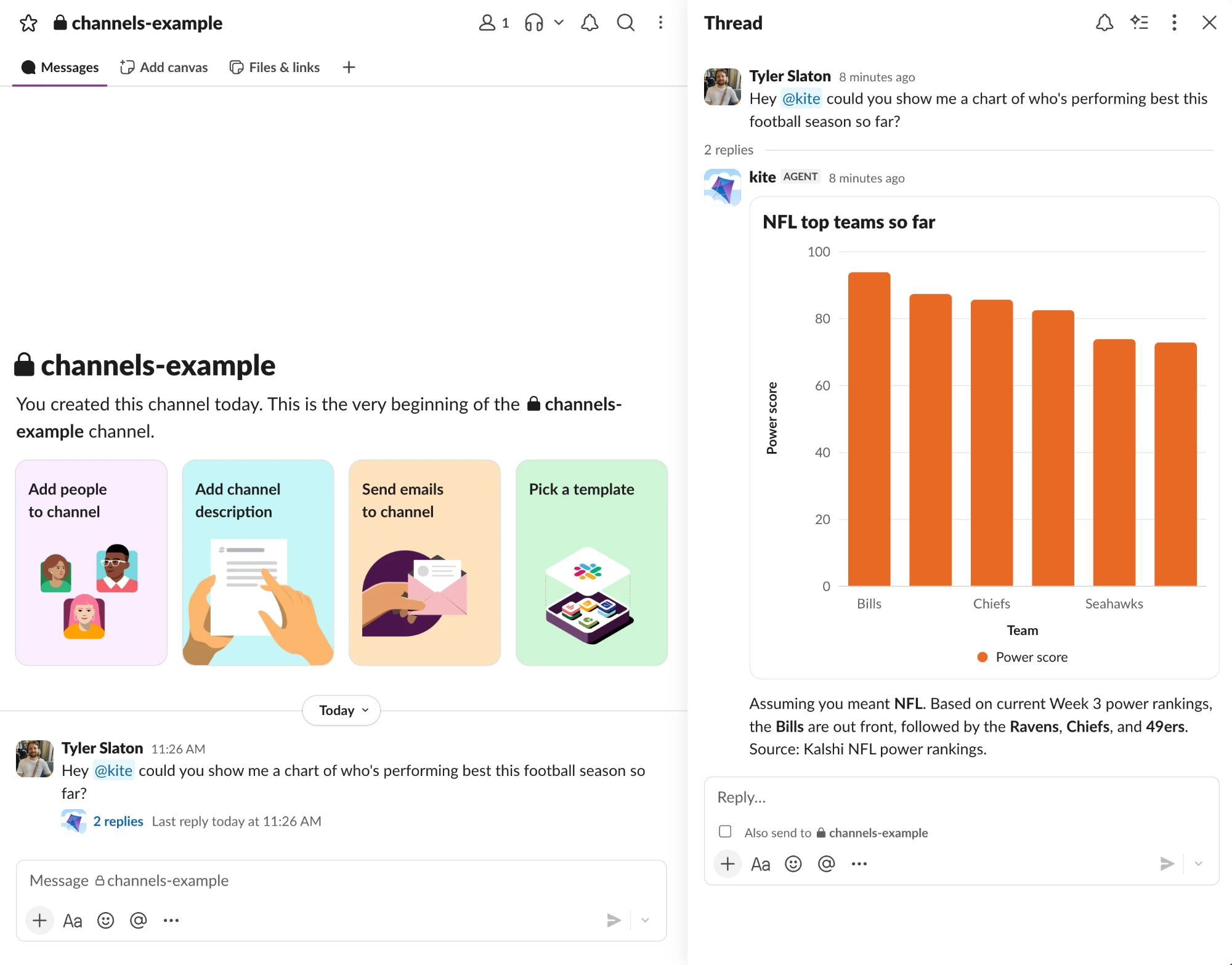
Someone mentions the agent in a channel, it runs with the same tools and context it has in your app, and it replies in the thread with native messages, cards, and charts.
What Channels does#
- One agent, every surface. The agent process you run for your app also serves Slack and Teams. No second agent, no second prompt, no second set of tools.
- Native replies. Text, buttons, approvals, and charts render as Slack Block Kit or Teams Adaptive Cards. In the screenshot the agent answers a question with a bar chart, not a link.
- Conversations that persist. Each Slack or Teams conversation shares a stable thread id with the agent run, so Intelligence keeps its history and the run appears in Product Analytics like any other.
- Identity you control. Your code maps the Slack or Teams user to your app user, so tools and permissions follow the person, and you decide when a run may use User Memory.
How it works#
Intelligence sits between the platform and your agent. It holds the Slack or Teams credentials, receives each message event, and delivers the turn to a long-running Channels SDK process that you run. Your process runs the agent over AG-UI and sends the rendered reply back through Intelligence to the thread.
You never hand platform credentials to your agent, and CopilotKit never runs your agent or your tools. The full message path and the split of responsibilities are on the Channels overview.
Slack and Microsoft Teams are generally available on cloud-hosted Intelligence.
Pick your channel and framework#
Choose where the agent should answer, then the framework it already runs on. The guide you land on starts from that framework and ends with the agent replying in a channel.
Your agent backend
Where to go next#
| You want to | Read |
|---|---|
| Give the agent application actions and context | Tools and context |
| Map Slack or Teams users to your app users | Identity and Memory |
| Send cards, charts, and formatted messages | Rich messages and components |
| Add buttons and approval steps | Interactive messages and approvals |
| Handle slash commands and emoji reactions | Commands and reactions |
| Accept files and images from the conversation | Files and multimodal input |
| See how a channel conversation relates to AG-UI Streams | Threads and state |
| Make workflow state survive a restart | Persistence and scaling |
| Read conversation history or keep a transcript | History and transcripts |
| Run the listener in production | Deploy and operate |