Chat with an Agent
Chat with an agent using CopilotKit's UI components.
What is this?
Agentic chat UIs are ways for your users to interact with your agent. CopilotKit provides a variety of different components to choose from, each with their own unique use cases.
If you've gone through the getting started guide you already have a agentic chat UI setup! Nothing else is needed to get started.
When should I use this?
CopilotKit provides a variety of different batteries-included components to choose from to create agent native applications. They scale from simple chat UIs to completely custom applications.
CopilotPopup is a convenience wrapper for CopilotChat that lives at the same level as your main content in the view hierarchy. It provides a floating chat interface that can be toggled on and off.
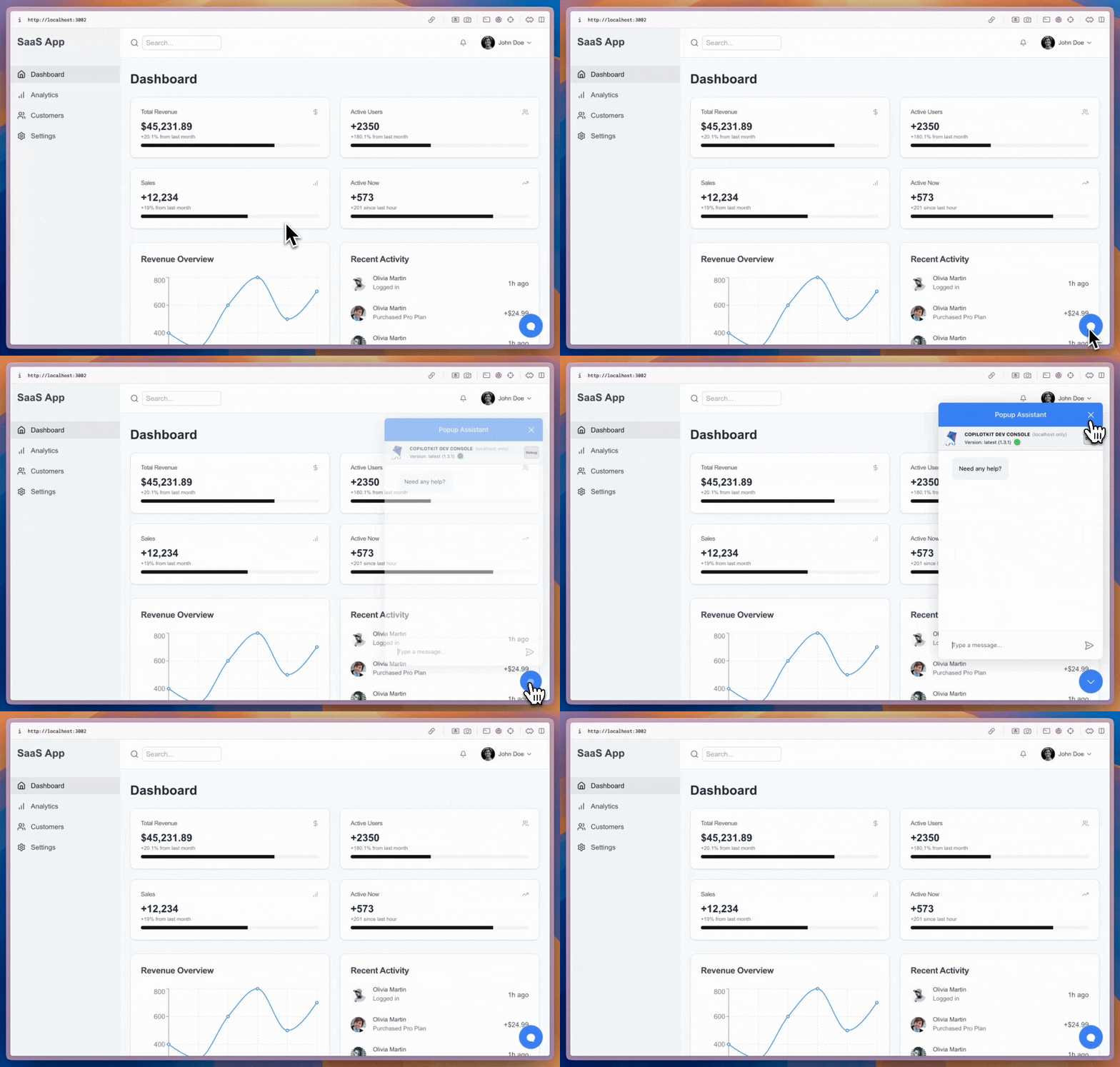
import { CopilotPopup } from "@copilotkit/react-ui";

export function YourApp() {
  return (
    <>
      <YourMainContent />
      <CopilotPopup
        instructions={"You are assisting the user as best as you can. Answer in the best way possible given the data you have."}
        labels={{
          title: "Popup Assistant",
          initial: "Need any help?",
        }}
      />
    </>
  );
}
CopilotSidebar is a convenience wrapper for CopilotChat that wraps your main content in the view hierarchy. It provides a collapsible and expandable sidebar chat interface.
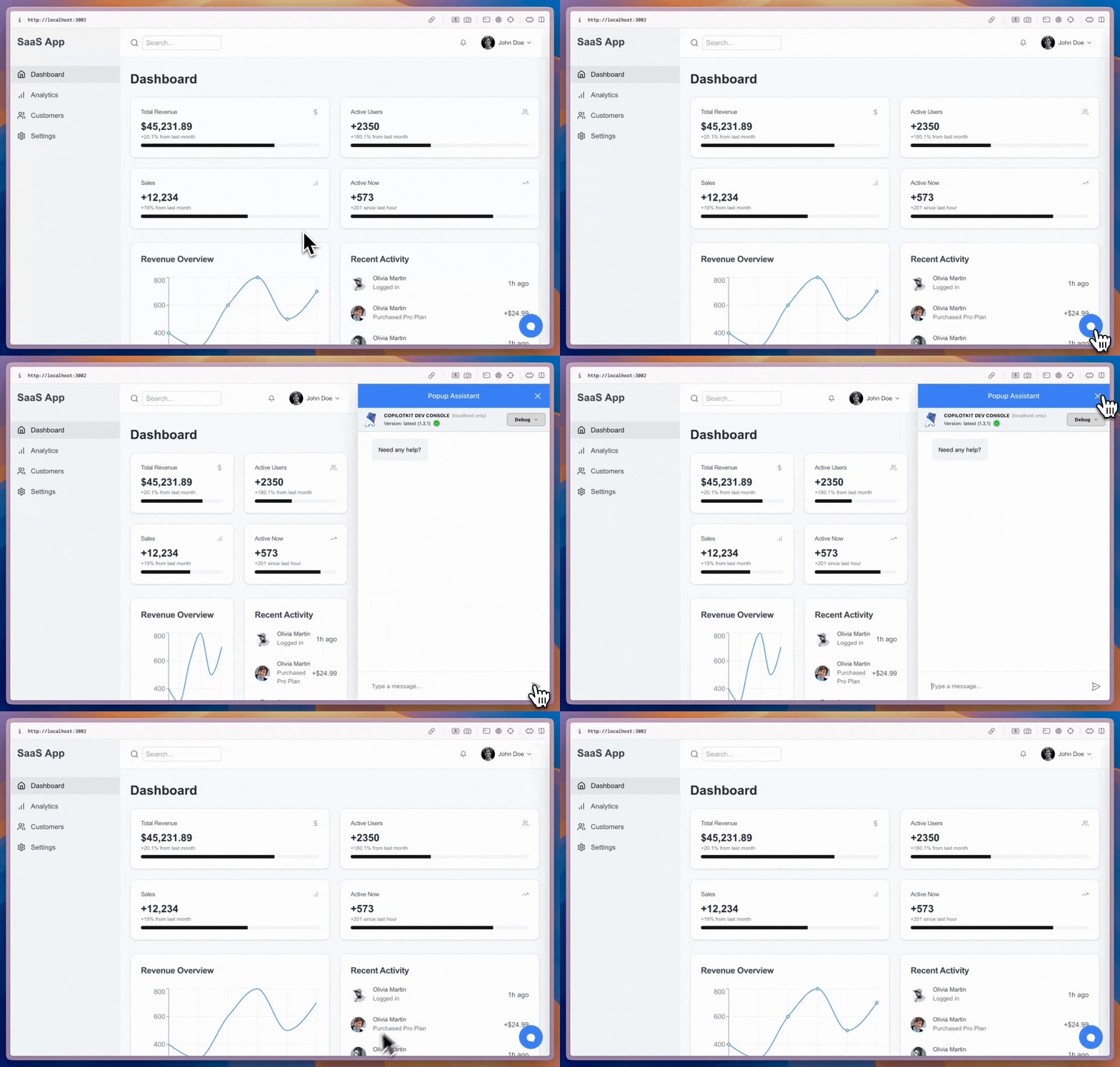
import { CopilotSidebar } from "@copilotkit/react-ui";

export function YourApp() {
  return (
    <CopilotSidebar
      defaultOpen={true}
      instructions={"You are assisting the user as best as you can. Answer in the best way possible given the data you have."}
      labels={{
        title: "Sidebar Assistant",
        initial: "How can I help you today?",
      }}
    >
      <YourMainContent />
    </CopilotSidebar>
  );
}
CopilotChat is a flexible chat interface component that can be placed anywhere in your app and can be resized as you desire.
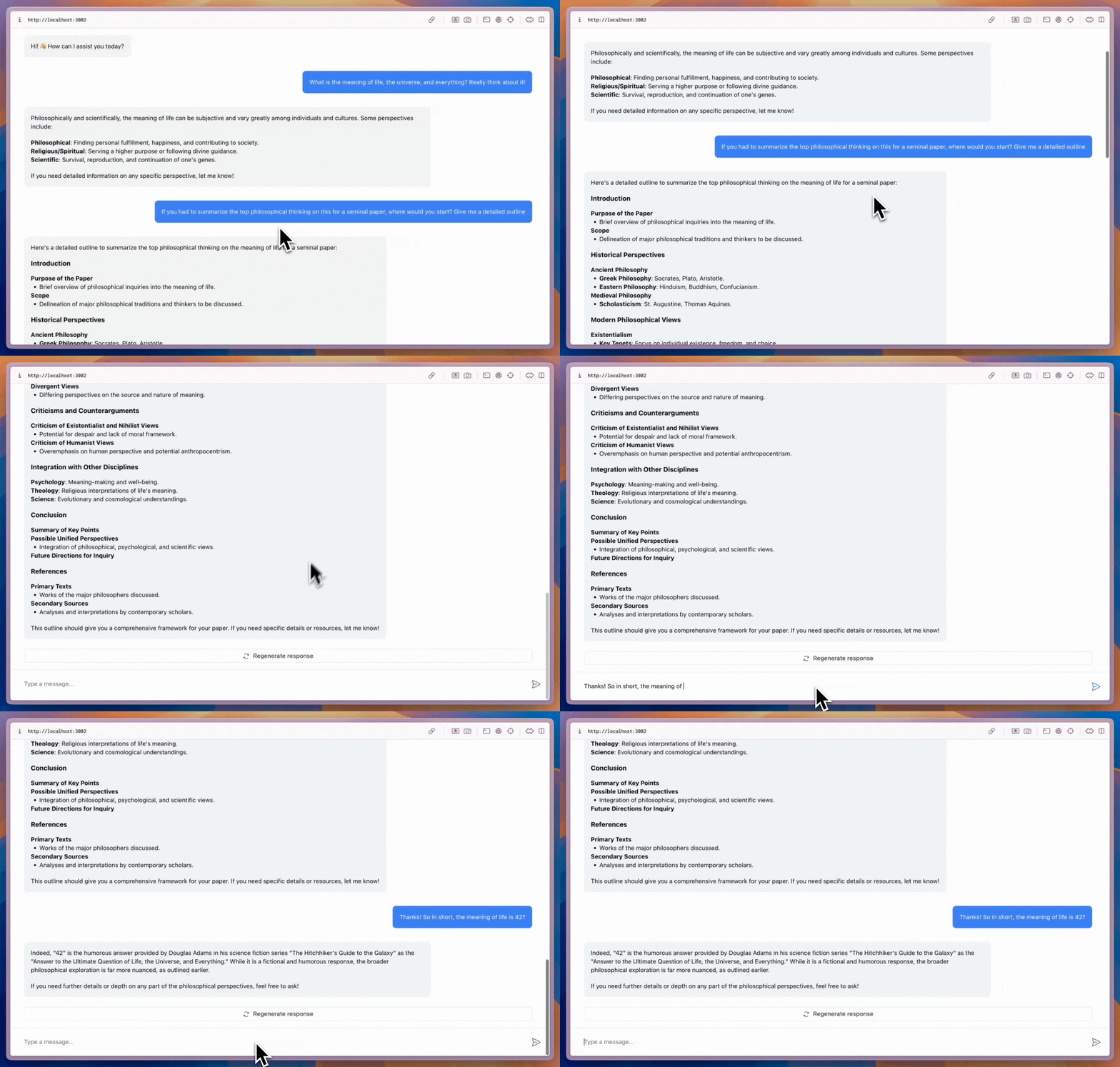
import { CopilotChat } from "@copilotkit/react-ui";

export function YourComponent() {
  return (
    <CopilotChat
      instructions={"You are assisting the user as best as you can. Answer in the best way possible given the data you have."}
      labels={{
        title: "Your Assistant",
        initial: "Hi! 👋 How can I assist you today?",
      }}
    />
  );
}
The built-in Copilot UI can be customized in many ways -- both through css and by passing in custom sub-components.
CopilotKit also offers fully custom headless UI, through the useCopilotChat hook. Everything built with the built-in UI (and more) can be implemented with the headless UI, providing deep customizability.
import { useCopilotChat } from "@copilotkit/react-core";
import { Role, TextMessage } from "@copilotkit/runtime-client-gql";

export function CustomChatInterface() {
  const {
    visibleMessages,
    appendMessage,
    setMessages,
    deleteMessage,
    reloadMessages,
    stopGeneration,
    isLoading,
  } = useCopilotChat();

  const sendMessage = (content: string) => {
    appendMessage(new TextMessage({ content, role: Role.User }));
  };

  return (
    <div>
      {/* Implement your custom chat UI here */}
    </div>
  );
}


